The Steps
Log into
your Outlook Office 365 account
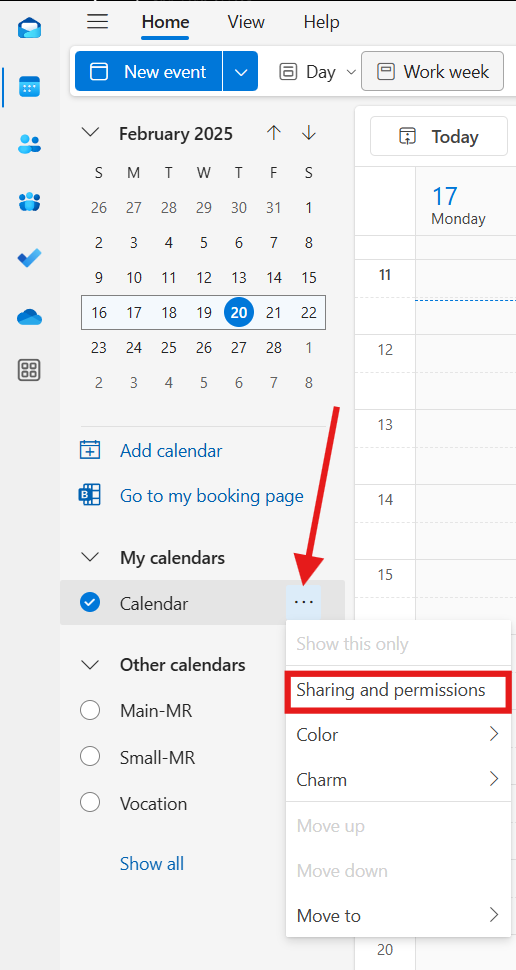
Go to
your Calendar tab
Select
which calendar you want to share access to
Click
Sharing and permissions
Enter
your Gmail address
Determine
access settings
"Can view when I'm busy”
“Can view titles and locations”
“Can view all details"
Click
Share
Open the Gmail message you received from Outlook
In the sentence "Having trouble viewing the calendar? Try adding an internet calendar and providing this URL,"
right-click
the blue link
"this URL"
and hit
"copy link address"
.
Open
Google Calendar
Under "Other calendars",
click
the plus sign
Select
"From URL"
Paste
.ics link
Click
Add Calendar